Unlimited levels
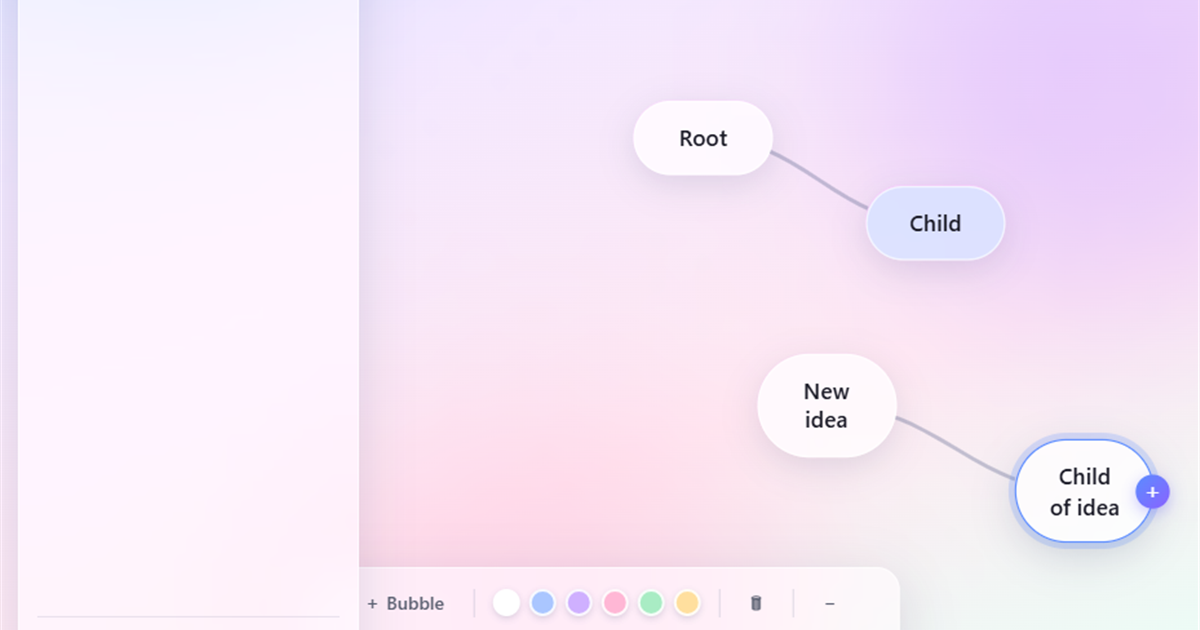
Branch every bubble into children, and children into more children — there is no depth limit. Grow one tree or connect several trees in a single map.
YaviMind turns your ideas into beautiful, connected bubble maps — with unlimited levels, automatic cloud saving and real-time collaboration. No downloads, no passwords, no cost.
Free forever · No credit card · Sign in with just your email
What is YaviMind?
YaviMind is a web-based mind mapping tool for brainstorming, planning and note-taking. You double-click to create a bubble, drag to connect ideas, and every change saves to the cloud instantly — from any browser, on any device, anywhere in the world.
Features
Powerful where it matters, invisible everywhere else.
Branch every bubble into children, and children into more children — there is no depth limit. Grow one tree or connect several trees in a single map.
Pull the + handle from any bubble and drop it on empty space to create a linked child, or onto another bubble to join two ideas with a smooth curve.
Every edit is saved to the cloud within a second — moving, typing, connecting, recoloring. Close the tab, come back later, everything is exactly where you left it.
Share a map to any email address. Once your teammate signs in, you both edit the same canvas at the same time, with changes syncing every few seconds.
Keep a separate map for every project, class or client. Create, rename and delete maps from a clean sidebar — all under one free account.
A calm, iOS-inspired frosted-glass interface with soft pastel colors keeps the focus on your thinking, not on the tool.
Register with just your name and email. A secure one-time link lands in your inbox — nothing to remember, nothing to leak.
Desktop, tablet or phone — YaviMind is fully responsive and touch-friendly in any modern browser. No app store, no installs, no updates.
How it works
You will be mapping within a minute of arriving.
Enter your name and email address. Click the secure link we send you — that's the whole sign-up. No password to invent, no form to fill.
Double-click anywhere to create a bubble. Drag the + handle to branch it into children, connect separate thoughts, recolor and rearrange freely.
Invite anyone by email. They sign in, open the shared map, and you refine the idea together in real time — while autosave guards every change.
Collaboration
Mind maps get better with a second brain. YaviMind's sharing is built for that: invite by email, require sign-in for privacy, and edit simultaneously. If two people change the same thing at once, YaviMind merges the edits instead of losing them.
FAQ
Quick answers about YaviMind's free online mind mapping.
YaviMind is a free web-based mind mapping application. You create idea bubbles on an infinite canvas, connect them into unlimited levels, and everything saves automatically to the cloud. It has an iOS-style glass design and supports real-time collaboration.
Yes. YaviMind is completely free to use. You can create unlimited mind maps with unlimited levels, share them, and collaborate live without paying anything or entering a credit card.
No installation and no passwords. YaviMind runs entirely in your web browser on desktop, tablet or phone. You sign in with just your name and email — a secure one-time link is emailed to you each time.
Unlimited. Every bubble can branch into child bubbles, and those children can branch again with no depth limit. You can also create free-standing bubbles and connect several separate trees in one map file.
Yes. Share a map to someone's email address; after they sign in with that email, both of you can view and edit the map simultaneously. Changes sync automatically every few seconds and conflicting edits are merged safely.
Yes. Every change — moving a bubble, typing text, adding a connection — is autosaved to the cloud within about one second. A status indicator shows "Saved" so you never lose work.
Common uses include brainstorming ideas, planning projects, taking study notes, outlining articles or presentations, mapping customer journeys, organizing meeting notes, and breaking down goals into actionable steps.
Yes. YaviMind is fully responsive and touch-friendly. You can pan, zoom, drag bubbles and edit text on phones and tablets in any modern mobile browser — no app store download needed.
Join free in under a minute — just your name and email.
Create your first mind map